Staying Connected in the Sky with Delta WiFi
Introduction
In today’s world, connectivity is not just a convenience — it’s a necessity. Being connected has become an essential part of modern travel, whether it’s for attending virtual meetings, staying in touch with loved ones, or streaming entertainment on the go. One airline that has embraced this digital transformation is Delta Air Lines. Through its advanced Delta WiFi service, the airline has redefined the passenger experience by offering fast, reliable, and accessible internet on nearly every flight.
Everything you need to know about Delta WiFi is covered in depth in this article, from its features, coverage, and pricing to troubleshooting advice and potential innovations. This guide will help you understand how Delta WiFi keeps passengers connected, productive, and entertained at 35,000 feet, whether you are a frequent traveler or planning your first flight with Delta.
The Evolution of Delta WiFi
From Limited Access to Full Connectivity
When it first came out, in-flight WiFi was slow, expensive, and only available on select flights. One of the first companies to recognize the potential of providing passengers with a seamless digital experience while in the air was Delta Air Lines. To improve and expand its onboard internet services over time, the airline formed partnerships with leading technology providers like Viasat and Gogo. By 2023, Delta became the first major U.S. airline to offer free WiFi on most domestic flights, a move that set a new benchmark in aviation technology and customer experience. This transition from paid to free connectivity represents Delta’s commitment to innovation, digital accessibility, and customer satisfaction.
How Delta WiFi Works
Satellite Technology
Even when flying over oceans or faraway places, Delta WiFi makes use of internet technology that is based on satellites to keep passengers connected. The system links the aircraft to a collection of satellites that transmit signals to ground stations. This technology ensures that passengers can browse, stream, and communicate without major interruptions throughout the flight.
The main technology partners powering Delta WiFi are:
- Viasat – Offers high-speed satellite connections with faster data transfer rates, allowing for streaming and real-time communication.
- Intelsat (formerly Gogo) – Provides coverage for older aircraft models and certain routes.
Accessing Delta WiFi: Step-by-Step
Connecting to Delta WiFi is simple and user-friendly. Here’s how passengers can access it:
- Enable Airplane Mode on your device after boarding.
- Connect to the “DeltaWiFi.com” network on your phone, tablet, or laptop.
- Open your browser — you’ll automatically be redirected to the Delta WiFi portal.
- Log in with your SkyMiles account to enjoy free WiFi (on eligible flights).
- If your flight doesn’t offer free access, you can purchase a WiFi plan directly from the portal.
Once connected, you can stream music, check emails, post updates, and even join video calls — just like you would on the ground.
Free WiFi for SkyMiles Members
In early 2023, Delta made headlines by launching free WiFi for all SkyMiles members. On the majority of Delta’s domestic flights, this Viasat-powered service is available, and international expansion is currently underway.
How It Works
- You must have a free Delta SkyMiles account.
- Sign in on the DeltaWiFi.com portal during your flight.
- Once verified, you can browse, stream, and message at no extra cost.
If you’re not a SkyMiles member, you can still sign up onboard within minutes — completely free. This feature allows Delta to connect millions of passengers under one digital network while encouraging more travelers to join its loyalty program.
Delta WiFi Plans and Pricing
While many routes offer free WiFi, some longer or international flights may still require a paid plan. Pricing typically depends on the flight duration, route, and provider.
Typical Pricing Structure:
- Free – For SkyMiles members on most domestic routes.
- $5 per flight – For non-members or international short-haul routes.
- $10–$15 – For long-haul international routes using Intelsat or older systems.
Delta has stated that its goal is to extend free WiFi across all routes by 2025, including transatlantic and transpacific flights, ensuring global coverage for all passengers.
Devices Supported by Delta WiFi
Delta WiFi is compatible with most modern devices, including:
- Smartphones (iOS and Android)
- Tablets (iPad, Galaxy Tab, etc.)
- Laptops (Windows, macOS, Chromebook)
- Smart devices that can connect to WiFi
Each passenger can connect one device at a time, but Delta plans to allow multi-device connections in future updates.
What You Can Do With Delta WiFi
Work Remotely
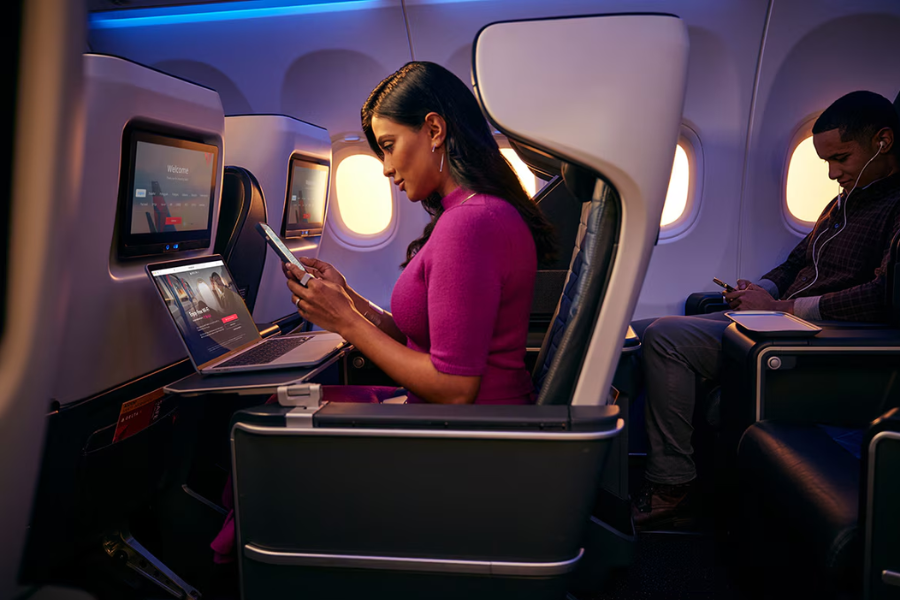
Business travelers love Delta WiFi for its stability. You can send emails, collaborate on Google Docs, or join Zoom and Teams calls while in flight.
Stream Entertainment
Thanks to high-speed Viasat satellites, you can stream shows on Netflix, Hulu, Disney+, or YouTube with minimal buffering.
Stay Connected
Stay in touch with family and friends through messaging apps like WhatsApp, iMessage, or Messenger — all supported seamlessly.
Manage Travel Plans
Passengers can check connecting flights, update itineraries, and access the Fly Delta app in real-time, ensuring smoother travel management.
Social Media Access
Delta WiFi supports major platforms like Instagram, Twitter (X), Facebook, and TikTok, allowing travelers to share updates from above the clouds.
Delta Studio vs. Delta WiFi
Many passengers confuse Delta Studio and Delta WiFi, but they serve different purposes:
- Delta Studio is the airline’s free entertainment system, offering movies, TV shows, and music available offline through the onboard network.
- Delta WiFi is the actual internet connection that lets you go online — browse, stream, or work during your flight.
You can access Delta Studio without purchasing WiFi, but for internet browsing, you’ll need an active WiFi connection.
Troubleshooting Delta WiFi Issues
Occasionally, passengers may face difficulties connecting. Here are quick fixes:
- Restart your device after switching to Airplane Mode.
- Forget and reconnect to the “DeltaWiFi.com” network.
- Ensure your browser is updated and cookies are enabled.
- Try another browser (Chrome, Safari, or Firefox).
- Contact the Delta WiFi Support team via the portal chat.
If the issue persists, flight attendants can assist by resetting the onboard router or reporting connectivity issues to technical support.
Coverage and Availability
Delta WiFi is now available on over 700 aircraft, covering most domestic routes and an expanding number of international flights.
Current Coverage Includes:
- All U.S. domestic routes (nearly 95% of flights)
- Select transatlantic flights to Europe
- Certain Latin American and Caribbean routes
- Ongoing rollout on Asia-Pacific and Middle East flights
The airline’s long-term goal is 100% WiFi coverage across its global fleet, including regional jets and wide-body aircraft.
Delta’s Vision for the Future of In-Flight Connectivity
Delta’s investment in digital innovation goes beyond just internet access. The airline envisions a connected ecosystem where WiFi integrates seamlessly with personalized travel experiences.
Future Developments:
- Free WiFi on international flights (target: 2025)
- Multi-device connectivity for passengers
- Personalized content through the Delta app
- Real-time customer service chat with Delta staff during flight
- Enhanced cybersecurity for passenger data
By combining AI-driven personalization with robust satellite technology, Delta aims to create the most connected airline experience in the world.
Delta WiFi and Sustainability
One might wonder how technology affects sustainability. Delta is tackling this by using lighter hardware for its WiFi systems to reduce aircraft weight and fuel consumption. Additionally, by offering more online entertainment and digital menus, the airline minimizes paper waste, aligning with its goal of achieving net-zero emissions by 2050.
Customer Experience and Reviews
Passenger reviews highlight both the strengths and occasional limitations of Delta WiFi.
Positive Feedback:
- Fast and reliable connection on domestic flights.
- Easy login process with SkyMiles integration.
- Smooth streaming and video calls.
Criticisms:
- Occasional dropouts on older aircraft.
- Limited coverage on international routes.
- Inconsistent speeds depending on passenger volume.
Overall, most travelers agree that Delta’s WiFi experience is superior to many competitors, making it a top choice for business and leisure flyers alike.
Comparison: Delta WiFi vs. Other Airlines
| Airline | Free WiFi? | Technology Provider | Coverage | Unique Feature |
| Delta Air Lines | Yes (SkyMiles members) | Viasat | 95% of U.S. routes | Seamless SkyMiles login |
| American Airlines | Paid | Panasonic / Viasat | Domestic & International | Streaming capability |
| United Airlines | Paid | Thales / Panasonic | Global | Subscription passes |
| JetBlue | Free for all | Viasat | 100% of flights | Free gate-to-gate WiFi |
This comparison shows how Delta’s decision to offer free, high-quality WiFi has positioned it as a leader in digital connectivity.
Tips for Making the Most of Delta WiFi
- Join SkyMiles before your flight to get free access.
- Download the Fly Delta app for smoother login and entertainment options.
- Carry a power bank — WiFi use drains battery faster.
- Use headphones to enjoy streaming quietly.
- Log in early — bandwidth can slow down when everyone connects at once.
Conclusion
Delta WiFi is a game-changer for modern air travel in a world where digital connectivity defines convenience and productivity. What began as a premium add-on has evolved into a standard feature, making Delta one of the most connected airlines in the sky.
With its ongoing expansion, user-friendly interface, and commitment to free access for all SkyMiles members, Delta Air Lines continues to bridge the gap between air travel and digital life. Whether you’re closing a deal, catching up on your favorite show, or simply sending a message home, Delta WiFi ensures that you’re never out of touch — no matter how far above the clouds you fly.





Post Comment